DAGstatus
A handy tool for monitor jobs in a DAG: DAGStatus
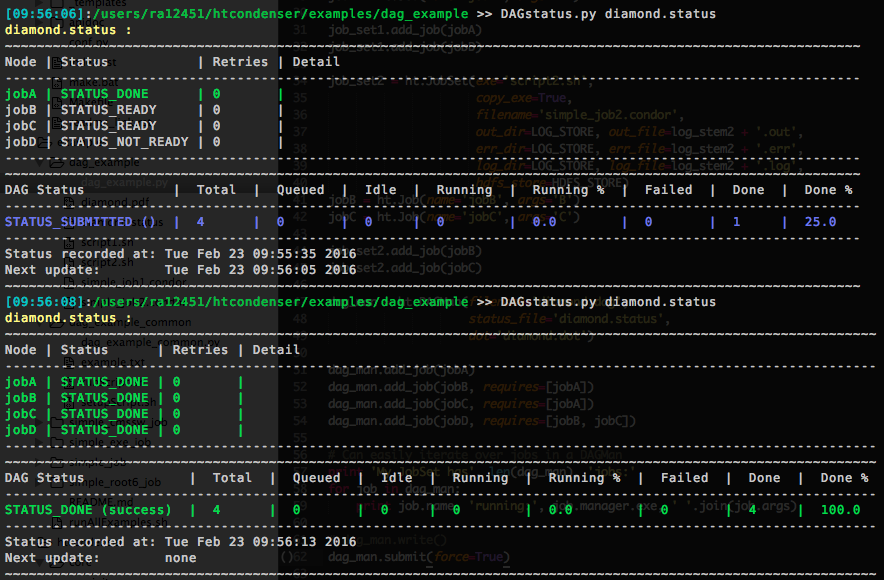
Usage
Ensure that the DAGMan.status_filename attribute is set. Then pass that filename to DAGStatus to view the current DAG status. Use the DAGMan.status_update_period attribute to control how often the status file is updated.
If you are not using the htcondenser library then ensure you have the following line in your DAG description file:
NODE_STATUS_FILE <filename> <refresh interval in seconds>
See 2.10.12 Capturing the Status of Nodes in a File for more details.
General usage instructions::
usage: DAGStatus [-h] [-v] [-s] [statusFile [statusFile ...]]

Code to present the DAGman status output in a more user-friendly manner. Add
this directory to PATH to run DAGStatus it from anywhere.

positional arguments:
  statusFile     name(s) of DAG status file(s), separated by spaces

optional arguments:
  -h, --help     show this help message and exit
  -v, --verbose  enable debugging mesages
  -s, --summary  only printout very short summary of all jobs
Customisation
It is possible to customise the coloured output to suit your personal preferences. This is done in DAGstatus_config.json.
The user must define any colours or styles used in the colors object. These can then be used in the statuses and formatting objects. Any combination of colours/styles can be used, by concatenating with a +.
Note that concatenating two colours will only use the rightmost colour.